Desktop computer in the context of Computer tower


Desktop computer in the context of Computer tower

Desktop computer Study page number 1 of 4

Play TriviaQuestions Online!

or

Skip to study material about Desktop computer in the context of "Computer tower"


⭐ Core Definition: Desktop computer

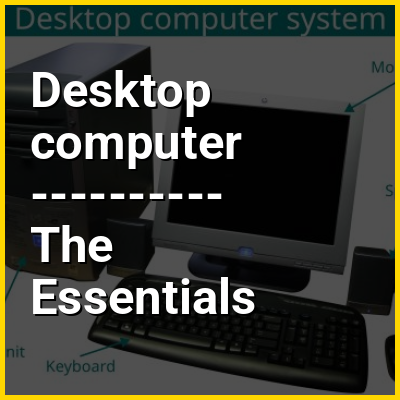
A desktop computer, often abbreviated as desktop, is a personal computer designed for regular use at a stationary location on or near a desk (as opposed to a portable computer) due to its size and power requirements. The most common configuration has a case that houses the power supply, motherboard (a printed circuit board with a microprocessor as the central processing unit, memory, bus, certain peripherals and other electronic components), disk storage (usually one or more hard disk drives, solid-state drives, optical disc drives, and in early models floppy disk drives); a keyboard and mouse for input; and a monitor, speakers, and, often, a printer for output. The case may be oriented horizontally or vertically and placed either underneath, beside, or on top of a desk.

Desktop computers with their cases oriented vertically are referred to as towers. As the majority of cases offered since the mid 1990s are in this form factor, the term desktop has been retronymically used to refer to modern cases offered in the traditional horizontal orientation.
↓ Menu
HINT:

In this Dossier

Desktop computer in the context of Laptop

A laptop is a small, portable personal computer (PC). Laptops typically have a clamshell form factor with a flat-panel screen on the inside of the upper lid and an alphanumeric keyboard and pointing device on the inside of the lower lid. Most of the computer's internal hardware is in the lower part, under the keyboard, although many modern laptops have a built-in webcam at the top of the screen, and some even feature a touchscreen display. In most cases, unlike tablet computers which run on mobile operating systems, laptops tend to run on desktop operating systems, which were originally developed for desktop computers.

Laptops are used in a variety of settings, such as at work (especially on business trips), in education, for playing games, content creating, web browsing, for personal multimedia, and for general home computer use. They can be powered using either continuous wall power or a rechargeable battery, and can be folded shut for convenient storage and transportation, making them suitable for mobile use. Laptops feature all the standard input and output components of a desktop computer in a single compact unit, including a display screen (usually 11–17 in or 280–430 mm in diagonal size), speakers, a keyboard, and a pointing device (usually a trackpad). Hardware specifications vary significantly between different types, models, and price points.

View the full Wikipedia page for Laptop
↑ Return to Menu

Desktop computer in the context of E-book

An ebook (short for electronic book), also spelled as e-book or eBook, is a book publication made available in electronic form, consisting of text, images, or both, readable on the flat-panel display of computers or other electronic devices. Although sometimes defined as "an electronic version of a printed book", some e-books exist without a printed equivalent. E-books can be read on dedicated e-reader devices, also on any computer device that features a controllable viewing screen, including desktop computers, laptops, tablets and smartphones.

In the 2000s, there was a trend of print and e-book sales moving to the Internet, where readers buy traditional paper books and e-books on websites using e-commerce systems. With print books, readers are increasingly browsing through images of the covers of books on publisher or bookstore websites and selecting and ordering titles online. The paper books are then delivered to the reader by mail or any other delivery service. With e-books, users can browse through titles online, select and order titles, then the e-book can be sent to them online or the user can download the e-book. By the early 2010s, e-books had begun to overtake hardcover by overall publication figures in the U.S.

View the full Wikipedia page for E-book
↑ Return to Menu

Desktop computer in the context of Personal computer

A personal computer (PC), or simply computer, is a computer designed for personal use. It is typically used for tasks such as word processing, internet browsing, email, multimedia playback, and gaming. Personal computers are intended to be operated directly by an end user, rather than by a computer expert or technician. Unlike large, costly minicomputers and mainframes, time-sharing by many people at the same time is not used with personal computers. The term "home computer" has also been used, primarily in the late 1970s and 1980s. The advent of personal computers and the concurrent Digital Revolution have significantly affected the lives of people.

Institutional or corporate computer owners in the 1960s had to write their own programs to do any useful work with computers. While personal computer users may develop their applications, usually these systems run commercial software, free-of-charge software ("freeware"), which is most often proprietary, or free and open-source software, which is provided in ready-to-run, or binary form. Software for personal computers is typically developed and distributed independently from the hardware or operating system manufacturers. Many personal computer users no longer need to write their programs to make any use of a personal computer, although end-user programming is still feasible. This contrasts with mobile systems, where software is often available only through a manufacturer-supported channel and end-user program development may be discouraged by lack of support by the manufacturer.

View the full Wikipedia page for Personal computer
↑ Return to Menu

Desktop computer in the context of Social networking service

A social networking service or social networking site, abbreviated as SNS, is a type of online social media platform which people use to build social networks or social relationships with other people who share similar personal or career content, interests, activities, backgrounds or real-life connections.

Social networking services vary in format and the number of features. They can incorporate a range of new information and communication tools, operating on desktops and on laptops, on mobile devices such as tablet computers and smartphones. This may feature digital photo/video/sharing and diary entries online (blogging). Online community services are sometimes considered social-network services by developers and users, though in a broader sense, a social-network service usually provides an individual-centered service whereas online community services are groups centered. Generally defined as "websites that facilitate the building of a network of contacts in order to exchange various types of content online," social networking sites provide a space for interaction to continue beyond in-person interactions. These computer mediated interactions link members of various networks and may help to create, sustain and develop new social and professional relationships.

View the full Wikipedia page for Social networking service
↑ Return to Menu

Desktop computer in the context of Online shopping

Online shopping is a form of electronic commerce which allows consumers to directly buy goods or services from a seller over the Internet using a web browser or a mobile app. Consumers find a product of interest by visiting the website of the retailer directly or by searching among alternative vendors using a shopping search engine, which displays the same product's availability and pricing at different e-retailers. As of 2020, customers can shop online using a range of different computers and devices, including desktop computers, laptops, tablet computers and smartphones.

Online stores that evoke the physical analogy of buying products or services at a regular "brick-and-mortar" retailer or shopping center follow a process called business-to-consumer (B2C) online shopping. When an online store is set up to enable businesses to buy from another business, the process is instead called business-to-business (B2B) online shopping. A typical online store enables the customer to browse the firm's range of products and services, view photos or images of the products, along with information about the product specifications, features and prices. Unlike physical stores which may close at night, online shopping portals are always available to customers.

View the full Wikipedia page for Online shopping
↑ Return to Menu

Desktop computer in the context of Electronic dictionary

An electronic dictionary is a dictionary whose data exists in digital form and can be accessed through a number of different media. Electronic dictionaries can be found in several forms, including software installed on tablet or desktop computers, mobile apps, web applications, and as a built-in function of E-readers. They may be free or require payment.

View the full Wikipedia page for Electronic dictionary
↑ Return to Menu

Desktop computer in the context of MacOS

macOS (previously OS X and originally Mac OS X) is a proprietary Unix-based operating system, derived from OPENSTEP for Mach and FreeBSD, which has been marketed and developed by Apple since 2001. It is the current operating system for Apple's Mac computers. Within the market of desktop and laptop computers, it is the second most widely used desktop OS, after Microsoft Windows and ahead of all Linux distributions, including ChromeOS and SteamOS. As of 2025, the most recent release of macOS is macOS 26 Tahoe, the 22nd major version of macOS.

Mac OS X succeeded the classic Mac OS, the primary Macintosh operating system from 1984 to 2001. Its underlying architecture came from NeXT's NeXTSTEP, as a result of Apple's acquisition of NeXT, which also brought Steve Jobs back to Apple. The first desktop version, Mac OS X 10.0, was released on March 24, 2001. Mac OS X Leopard and all later versions of macOS, other than OS X Lion, are UNIX 03 certified. Each of Apple's other contemporary operating systems, including iOS, iPadOS, watchOS, tvOS, audioOS and visionOS, are derivatives of macOS. Throughout its history, macOS has supported three major processor architectures: the initial version supported PowerPC-based Macs only, with support for Intel-based Macs beginning with OS X Tiger 10.4.4 and support for ARM-based Apple silicon Macs beginning with macOS Big Sur. Support for PowerPC-based Macs was dropped with OS X Snow Leopard, and it was announced at the 2025 Worldwide Developers Conference that macOS Tahoe will be the last to support Intel-based Macs.

View the full Wikipedia page for MacOS
↑ Return to Menu

Desktop computer in the context of SoundCloud

SoundCloud is a German audio streaming service owned and operated by SoundCloud Global Limited & Co. KG. The service allows its users to upload, promote, and share audio. Founded in 2007 by Alexander Ljung and Eric Wahlforss, SoundCloud is one of the largest music streaming services in the world and is available in 190 countries and territories. The service has upwards of 76 million active monthly users and over 200 million audio tracks as of November 2021. SoundCloud offers both free and paid memberships on the platform, available for mobile, desktop and Xbox devices. SoundCloud has evolved from a traditional online streaming platform to an entertainment company.

View the full Wikipedia page for SoundCloud
↑ Return to Menu

Desktop computer in the context of Text messaging

Text messaging, or texting, is the act of composing and sending electronic messages, typically consisting of alphabetic and numeric characters, between two or more users of mobile phones, tablet computers, smartwatches, desktops/laptops, or another type of compatible computer. Text messages may be sent over a cellular network or may also be sent via satellite or Internet connection.

The term originally referred to messages sent using the Short Message Service (SMS) on mobile devices. It has grown beyond alphanumeric text to include multimedia messages using the Multimedia Messaging Service (MMS) and Rich Communication Services (RCS), which can contain digital images, videos, and sound content, as well as ideograms known as emoji (happy faces, sad faces, and other icons), and on various instant messaging apps. Text messaging has been an extremely popular medium of communication since the turn of the century and has also influenced changes in society.

View the full Wikipedia page for Text messaging
↑ Return to Menu

Desktop computer in the context of Mobile operating system

A mobile operating system is an operating system used for smartphones, tablets, smartwatches, smartglasses, or other non-laptop personal mobile computing devices. While computers such as laptops are "mobile", the operating systems used on them are usually not considered mobile, as they were originally designed for desktop computers that historically did not have or need specific mobile features. This "fine line" distinguishing mobile and other forms has become blurred in recent years, due to the fact that newer devices have become smaller and more mobile, unlike the hardware of the past. Key notabilities blurring this line are the introduction of tablet computers, light laptops, and the hybridization of the 2-in-1 PCs.

Mobile operating systems combine features of a desktop computer operating system with other features useful for mobile or handheld use, and usually including a wireless inbuilt modem and SIM tray for telephone and data connection. In 2024, approximately 1.22 billion smartphones were sold globally, marking a 7% increase over the previous year and a solid rebound after two consecutive years of declines. Sales in 2012 were 1.56 billion; sales in 2023 were 1.43 billion with 53.32% being Android. Android alone has more sales than the popular desktop operating system Microsoft Windows, and smartphone use (even without tablets) outnumbers desktop use.

View the full Wikipedia page for Mobile operating system
↑ Return to Menu

Desktop computer in the context of Web browser

A web browser, often shortened to browser, is an application for accessing websites. When a user requests a web page from a particular website, the browser retrieves its files from a web server and then displays the page on the user's screen. Browsers can also display content stored locally on the user's device.

Browsers are used on a range of devices, including desktops, laptops, tablets, smartphones, smartwatches, smart televisions and consoles. As of 2024, the most used browsers worldwide are Google Chrome (~66% market share), Safari (~16%), Edge (~6%), Firefox (~3%), Samsung Internet (~2%), and Opera (~2%). As of 2023, an estimated 5.4 billion people had used a browser.

View the full Wikipedia page for Web browser
↑ Return to Menu

Desktop computer in the context of Websites

A website (also written as a web site) is any web page whose content is identified by a common domain name and is published on at least one web server. Websites are typically dedicated to a particular topic or purpose, such as news, education, commerce, entertainment, or social media. Hyperlinking between web pages guides the navigation of the site, which often starts with a home page. The most-visited sites are Google, YouTube, and Facebook.

All publicly-accessible websites collectively constitute the World Wide Web. There are also private websites that can only be accessed on a private network, such as a company's internal website for its employees. Users can access websites on a range of devices, including desktops, laptops, tablets, and smartphones. The app used on these devices is called a web browser.

View the full Wikipedia page for Websites
↑ Return to Menu

Desktop computer in the context of Acer inc.

Acer Inc. (/ˈsər/; AY-sər) is a Taiwanese multinational company that produces computer hardware and electronics, headquartered in Xizhi District, New Taipei City, Taiwan. Its products include desktop PCs, laptop PCs (clamshells, 2-in-1s, convertibles and Chromebooks), tablets, servers, storage devices, virtual reality devices, displays, smartphones, televisions and peripherals, as well as gaming PCs and accessories under its Predator brand. As of 2024, Acer is the world's sixth-largest personal computer vendor by unit sales.

In the early 2000s, Acer implemented a new business model, shifting from a manufacturer to a designer, marketer, and distributor of products, while performing production processes via contract manufacturers. Currently, in addition to its core IT products business, Acer also has a new business entity that focuses on the integration of cloud services and platforms, and the development of smartphones and wearable devices with value-added IoT applications.

View the full Wikipedia page for Acer inc.
↑ Return to Menu

Desktop computer in the context of Workstation

A workstation is a special computer designed for technical or scientific applications. Intended primarily to be used by a single user, they are commonly connected to a local area network and run multi-user operating systems. The term workstation has been used loosely to refer to everything from a mainframe computer terminal to a PC connected to a network, but the most common form refers to the class of hardware offered by several current and defunct companies such as Sun Microsystems, Silicon Graphics, Apollo Computer, DEC, HP, NeXT, and IBM which powered the 3D computer graphics revolution of the late 1990s.

Workstations formerly offered higher performance specifications than mainstream personal computers, especially in terms of processing, graphics, memory, and multitasking. Workstations are optimized for the visualization and manipulation of different types of complex data such as 3D mechanical design, engineering simulations like computational fluid dynamics, animation, video editing, image editing, medical imaging, image rendering, computational science, generating mathematical plots, and software development. Typically, the form factor is that of a desktop computer, which consists of a high-resolution display, a keyboard, and a mouse at a minimum, but also offers multiple displays, graphics tablets, and 3D mice for manipulating objects and navigating scenes. Workstations were the first segment of the computer market to present advanced accessories, and collaboration tools like videoconferencing.

View the full Wikipedia page for Workstation
↑ Return to Menu

Desktop computer in the context of Internet appliance

An Internet appliance is a consumer device whose main function is easy access to Internet services such as WWW or e-mail. The term was popularized in the 1990s, when it somewhat overlapped in meaning with an information appliance, desktop computer, network computer, or even thin client, but now it has fallen out of general use.

Internet appliances were contrasted with any general purpose computer, but unlike personal computers, internet appliances were low cost and low margin products, usually using highly optimised low power silicon specifically built for internet use. Modern smart phones and tablet computers do approximately the same things, but are more powerful, more successful in the market, and generally not classified as Internet appliances.

View the full Wikipedia page for Internet appliance
↑ Return to Menu

Desktop computer in the context of Dell XPS

XPS ("Extreme Performance System") is a line of consumer-oriented high-end laptop and desktop computers manufactured by Dell since 1993, formerly part of Dimension, and since 2008 a standalone brand.

View the full Wikipedia page for Dell XPS
↑ Return to Menu

Desktop computer in the context of Touchpad

A touchpad or trackpad is a type of pointing device. Its largest component is a tactile sensor: an electronic device with a flat surface that detects the position and motion of a user's fingers, and translates them into 2D motion to control a pointer in a graphical user interface. Touchpads are common on laptop computers, contrasted with desktop computers, with which mice are more prevalent. Trackpads are sometimes used with desktop setups where desk space is scarce. Wireless touchpads are also available as detached accessories. Due to the ability of trackpads to be made small, they were additionally used on personal digital assistants (PDAs) and some portable media players.

View the full Wikipedia page for Touchpad
↑ Return to Menu