Print server in the context of Line Printer Daemon protocol


Print server in the context of Line Printer Daemon protocol

Print server Study page number 1 of 1

Play TriviaQuestions Online!

or

Skip to study material about Print server in the context of "Line Printer Daemon protocol"


⭐ Core Definition: Print server

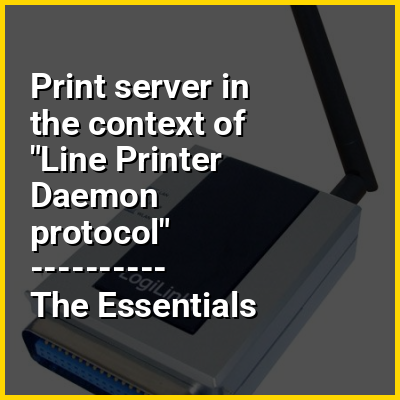
In computer networking, a print server, or printer server, is a type of server that connects printers to client computers over a network. It accepts print jobs from the computers and sends the jobs to the appropriate printers, queuing the jobs locally to accommodate the fact that work may arrive more quickly than the printer can actually handle. Ancillary functions include the ability to inspect the queue of jobs to be processed, the ability to reorder or delete waiting print jobs, or the ability to do various kinds of accounting (such as counting pages, which may involve reading data generated by the printer(s)). Print servers may be used to enforce administration policies, such as color printing quotas, user/department authentication, or watermarking printed documents.

Print servers may support a variety of industry-standard or proprietary printing protocols including Internet Printing Protocol, Line Printer Daemon protocol, NetWare, NetBIOS/NetBEUI, or JetDirect.
↓ Menu
HINT:

In this Dossier

Print server in the context of Server (computing)

A server is a computer that provides information to other computers called "clients" on a computer network. This architecture is called the client–server model. Servers can provide various functionalities, often called "services", such as sharing data or resources among multiple clients or performing computations for a client. A single server can serve multiple clients, and a single client can use multiple servers. A client process may run on the same device or may connect over a network to a server on a different device. Typical servers are database servers, file servers, mail servers, print servers, web servers, game servers, and application servers.

Client–server systems are most frequently implemented by (and often identified with) the request–response model: a client sends a request to the server, which performs some action and sends a response back to the client, typically with a result or acknowledgment. Designating a computer as "server-class hardware" implies that it is specialized for running servers on it. This often implies that it is more powerful and reliable than standard personal computers, but alternatively, large computing clusters may be composed of many relatively simple, replaceable server components.

View the full Wikipedia page for Server (computing)
↑ Return to Menu

Print server in the context of Xerox Dorado

The Xerox Star workstation, officially named Xerox Star 8010 Information System, is the first commercial personal computer to incorporate technologies that have since become standard in personal computers, including a bitmapped display, a window-based graphical user interface, icons, folders, mouse (two-button), Ethernet networking, file servers, print servers, and email.

Introduced by Xerox Corporation on April 27, 1981, the name Star technically refers only to the software sold with the system for the office automation market. The 8010 workstations were also sold with software based on the programming languages Lisp and Smalltalk for the smaller research and software development market.

View the full Wikipedia page for Xerox Dorado
↑ Return to Menu

Print server in the context of Parallel port

In computing, a parallel port is a type of interface found on early computers (personal and otherwise) for connecting peripherals. The name refers to the way the data is sent; parallel ports send multiple bits of data at once (parallel communication), as opposed to serial communication, in which bits are sent one at a time. To do this, parallel ports require multiple data lines in their cables and port connectors and tend to be larger than contemporary serial ports, which only require one data line.

There are many types of parallel ports, but the term has become most closely associated with the printer port or Centronics port found on most personal computers from the 1970s through the 2000s. It was an industry de facto standard for many years, and was finally standardized as IEEE 1284 in the late 1990s, which defined the Enhanced Parallel Port (EPP) and Extended Capability Port (ECP) bi-directional versions. Today, the parallel port interface is virtually non-existent in new computers because of the rise of Universal Serial Bus (USB) devices, along with network printing using Ethernet and Wi-Fi connected printers.

View the full Wikipedia page for Parallel port
↑ Return to Menu